VR Flight for Google Cardboard Virtual Reality0.81
Publisher Description
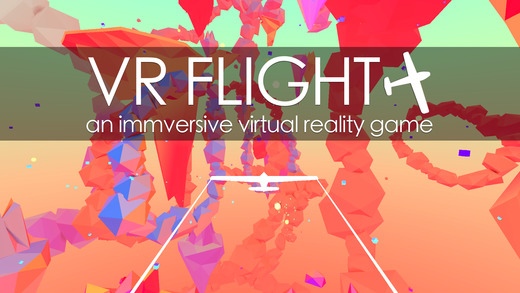
Fly an airplane around a beautiful VR environment in 3D virtual reality right on your smartphone! Tilt your head to control the plane. This game is for Google Cardboard and other VR mobile virtual reality headsets.
Use your virtual reality headset to explore an amazing HD world while controlling an airplane.
Features:
-Stereoscopic virtual reality rendering and headtracking for mobile VR
-Beautiful large environment with lots of areas to go to
Learn more about Google Cardboard here:
https://www.google.com/get/cardboard/
Works with any mobile stereoscopic headset with a built in accelerometer.
Some Compatible VR ( Virtual Reality ) Headsets Include:
Google Cardboard
FIBRUM
Stooksy
Durovis Dive VR
Merge VR
Refugio 3D
VRTX One
ANTVR
VR Smartview
ColorCross
VRTRIA
Nibiru VR
Requires iOS 6.0 or later. Compatible with iPhone, iPad, and iPod touch.
About VR Flight for Google Cardboard Virtual Reality
The company that develops VR Flight for Google Cardboard Virtual Reality is andrew sasaki. The latest version released by its developer is 0.81.
To install VR Flight for Google Cardboard Virtual Reality on your iOS device, just click the green Continue To App button above to start the installation process. The app is listed on our website since 2016-03-28 and was downloaded 6 times. We have already checked if the download link is safe, however for your own protection we recommend that you scan the downloaded app with your antivirus. Your antivirus may detect the VR Flight for Google Cardboard Virtual Reality as malware if the download link is broken.
How to install VR Flight for Google Cardboard Virtual Reality on your iOS device:
- Click on the Continue To App button on our website. This will redirect you to the App Store.
- Once the VR Flight for Google Cardboard Virtual Reality is shown in the iTunes listing of your iOS device, you can start its download and installation. Tap on the GET button to the right of the app to start downloading it.
- If you are not logged-in the iOS appstore app, you'll be prompted for your your Apple ID and/or password.
- After VR Flight for Google Cardboard Virtual Reality is downloaded, you'll see an INSTALL button to the right. Tap on it to start the actual installation of the iOS app.
- Once installation is finished you can tap on the OPEN button to start it. Its icon will also be added to your device home screen.
